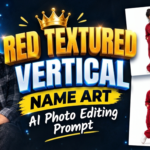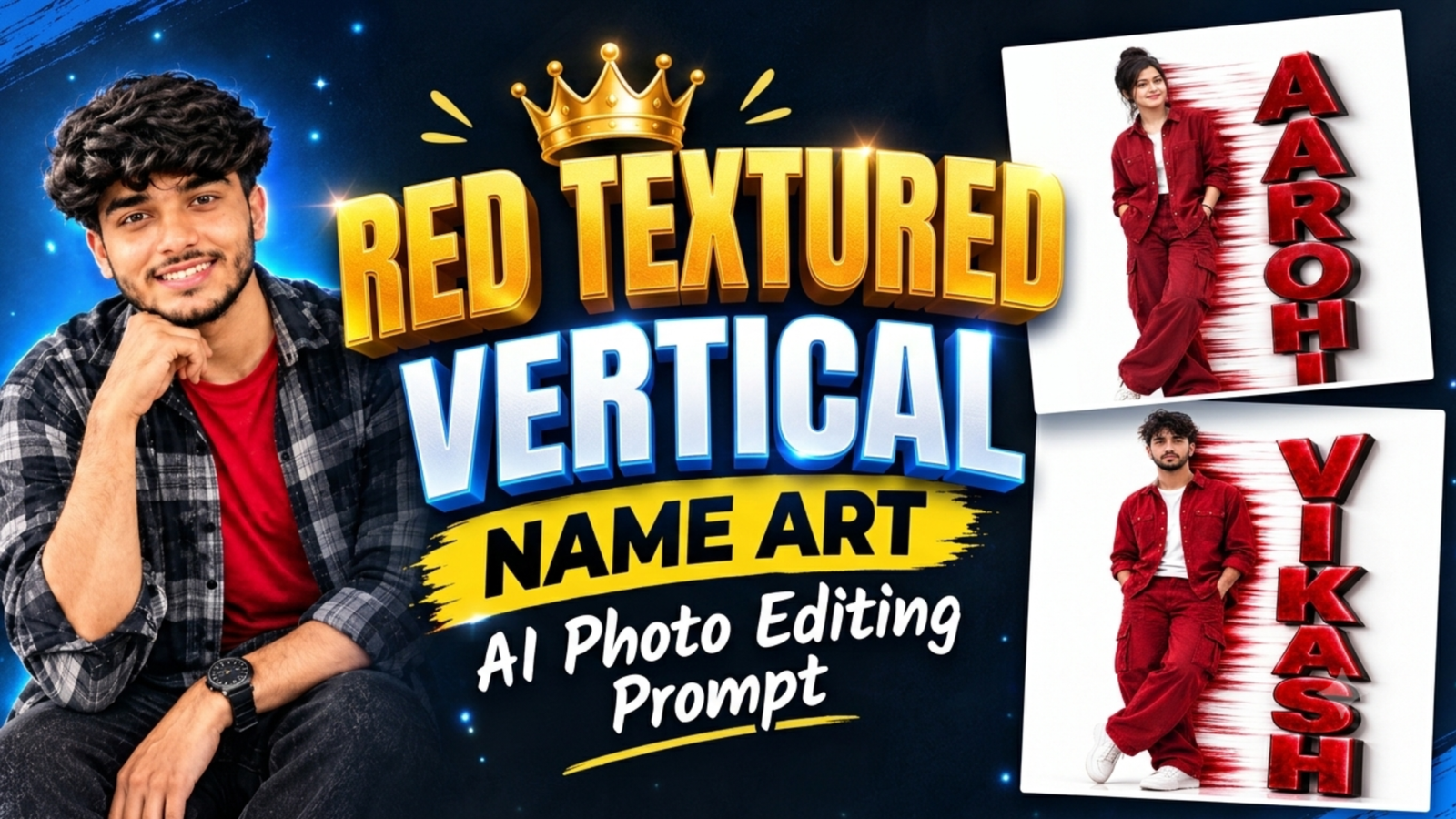
Red Textured Vertical Name Art AI Photo Editing Prompt: If you want to create a stylish photo that looks different from a regular portrait, this Red Textured Vertical Name Art AI Photo Editing style is worth trying. It combines a full-body portrait, a bold red outfit, a clean white background, and large red letters arranged vertically beside the person. The textured letters, dark edges, subtle shadows, and red motion streaks give the image a strong visual identity without making the overall design look crowded. This style works well for personal profile designs, social media posts, creator branding, and customized name portraits. With Google Gemini or ChatGPT, you can use your own photo as a reference and ask the AI to create a similar design with your preferred name.
What Is Red Textured Vertical Name Art?
Red Textured Vertical Name Art is a portrait editing style in which a person’s photo is combined with large, vertically arranged letters that spell out a name. In this design, the letters have a deep red textured surface, dark 3D-style edges, bright highlights, and soft shadows that make them stand out against the white background. The person is positioned on one side while the name occupies the other side, creating a balanced composition. The red clothing and matching text connect the two elements, giving the final image a coordinated appearance. You can personalize this concept with your own name, different outfits, and other color combinations.
How to Create Red Vertical Name Art in Google Gemini
You can create this style in Google Gemini by uploading a clear reference photo and explaining how you want the final image to look. Open Gemini, choose the image creation option available in your account, and upload your photo. Copy the prompt provided below and replace YOUR NAME with the name you want to display. Ask Gemini to preserve your facial features while placing the large vertical text beside you on a clean background. If the generated image does not match your reference closely, you can ask Gemini to adjust the letter spacing, clothing color, pose, or background without changing the overall design.
How to Create the Same Photo Using ChatGPT
ChatGPT can also help you create a personalized name portrait if image generation is available in your account. Start a new chat, upload your reference photo, and paste the prompt below. Mention the name you want to display and describe the red textured letters, full-body pose, white background, and matching outfit. You can also upload the example image as an additional visual reference if you want to follow its layout more closely. After the first result appears, request specific corrections, such as making the letters larger or keeping more space around the shoes. This step-by-step approach is often more useful than repeatedly submitting the same prompt without explaining what needs to change.
Red Textured Vertical Name Art AI Photo Editing Prompt
Use the following prompt in Gemini or ChatGPT to create a similar portrait. Replace YOUR NAME with your preferred name before generating the image.
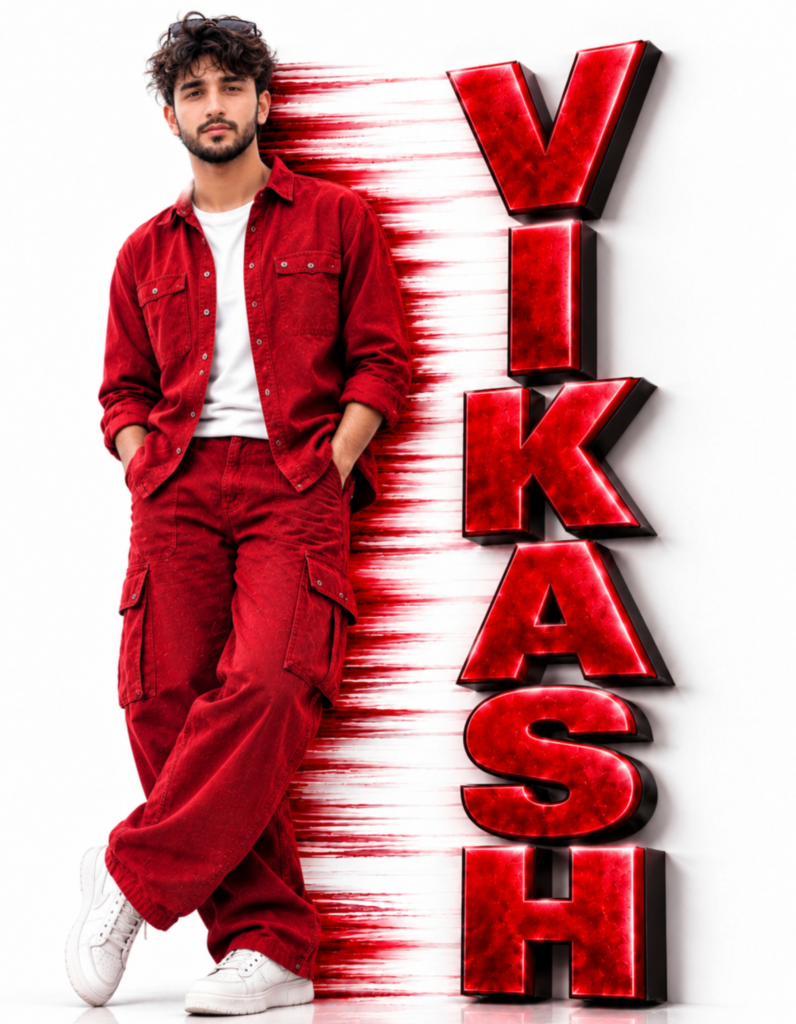
Prompt: An ultra-realistic 8K cinematic portrait using [User_Uploaded_Photo] as the exact face reference, preserving the facial identity, hairstyle, skin tone, and smile.
A hyper-realistic full-body studio portrait of a handsome young Indian man with messy curly dark hair, a well-groomed light beard, and sunglasses resting on top of his head. He is wearing an unbuttoned crimson red denim overshirt over a plain white t-shirt, matching red baggy cargo pants, and chunky white sneakers. He is standing casually on a glossy white reflective floor against a pure white background with his hands in his pockets and ankles crossed. Directly behind his right side, vibrant horizontal red paint brush strokes streak across the white wall toward the right. On the right side of the frame, the name "YOUR NAME" is stacked vertically from top to bottom in giant, bold 3D metallic red block letters with black 3D extruded sides and glowing neon red edges. High-key studio lighting, sharp focus, 8k resolution, photorealistic.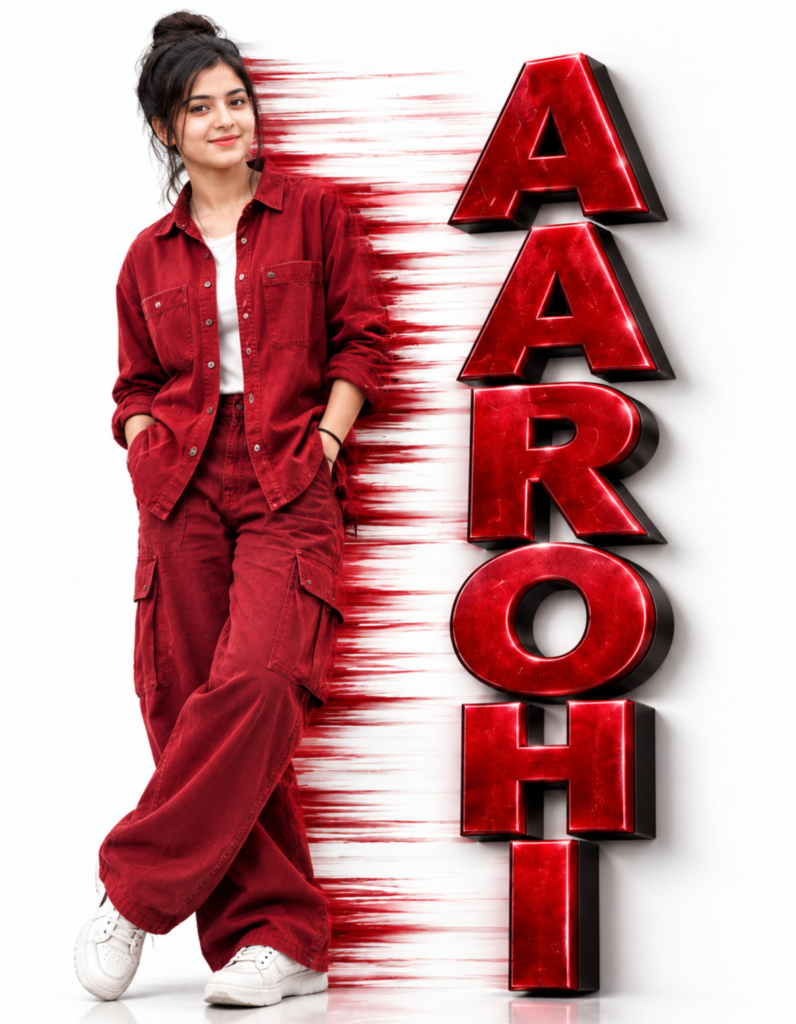
Prompt: An ultra-realistic 8K cinematic portrait using [User_Uploaded_Photo] as the exact face reference, preserving the facial identity, hairstyle, skin tone, and smile.
A hyper-realistic full-body studio portrait of a beautiful young Indian woman with her dark hair styled in a messy high bun with loose face-framing strands and a soft smile. She is wearing an unbuttoned crimson red denim overshirt over a plain white top, matching red baggy cargo pants, and chunky white sneakers. She is standing casually on a glossy white reflective floor against a pure white background with her hands in her pockets and legs crossed at the ankles. Directly behind her right side, vibrant horizontal red paint brush strokes streak across the white wall toward the right. On the right side of the frame, the name "YOUR NAME" is stacked vertically from top to bottom in giant, bold 3D metallic red block letters with black 3D extruded sides and glowing neon red edges. High-key studio lighting, sharp focus, 8k resolution, photorealistic.
How to Customize the Prompt With Your Own Name
The easiest way to personalize this design is to replace YOUR NAME with your actual name or preferred creator name. For example, you could use a short name, nickname, or social media identity. If your name contains many letters, ask the AI to adjust the font size and spacing so that the complete name fits vertically without being cut off. You can also change the red outfit to black, white, blue, or another color, but matching the outfit with the lettering usually creates a more coordinated result. For the best composition, keep the person on one side and the vertical name on the other rather than asking the AI to place text randomly around the portrait.
Why the Red and White Color Combination Works So Well
The red-and-white combination creates a clear contrast that makes both the person and the name easy to notice. The white background keeps the image clean, while the red outfit and letters give it a consistent visual theme. Dark edges around the lettering add separation from the background, and the horizontal red streaks connect the subject to the typography. You do not need to add many extra effects to achieve this look because the color contrast and layout already do most of the work. Keeping the background simple also helps the portrait remain readable when shared on social media.
Tips for Getting a Better AI Result
For a more accurate result, upload a clear, high-resolution photo in which your face and hairstyle are easy to see. A full-body or three-quarter-length reference can help when you want the AI to reproduce the standing pose and outfit proportions. Write the name carefully before generating the image, as AI tools can sometimes produce incorrect letters or spacing. If the text is misspelled, ask the tool to correct only the typography while keeping the rest of the image unchanged. You may need more than one attempt to achieve the desired result, especially when the design includes long vertical lettering and detailed textures.
Common Problems and How to Fix Them
One common problem with AI name portraits is incorrect spelling, particularly when a long name is arranged vertically. If this happens, regenerate the image with the exact name in quotation marks and clearly instruct the AI to use only those letters. Another issue is that the AI may change your face, hairstyle, or clothing compared with the reference. To reduce this, emphasize identity preservation and describe the desired outfit separately. If the shoes or bottom letters are cropped, request a taller composition with extra space above and below the subject. These small corrections can improve the final result without requiring you to rewrite the entire prompt.
Where Can You Use This Name Art Photo?
You can use a personalized red name portrait as an Instagram post, WhatsApp status, Facebook profile design, creator introduction, or personal branding graphic. It can also work as a digital birthday greeting or a customized image for someone whose name you want to highlight. If you plan to use it as a profile picture, remember that square crops may cut off some of the vertical lettering, so keep the person’s face and the most important letters near the center. For a full-body design like the reference image, a portrait-oriented post generally preserves more of the original layout.
Conclusion
The Red Textured Vertical Name Art AI Photo Editing style is a creative way to combine your portrait, matching red clothing, and bold vertical typography in one design. With a clear reference photo and a detailed prompt, you can try creating a similar image in Google Gemini or ChatGPT without learning complicated photo-editing software. Customize the name, outfit, and colors to match your preference, and check the final image carefully for facial details, text accuracy, and cropping before sharing it online.
Red Textured Vertical Name Art AI Photo Editing Prompt: FAQ
Q1.Can I use my own photo for Red Textured Vertical Name Art?
Yes. Upload a clear photo of yourself and instruct Gemini or ChatGPT to use it as a reference while creating the red outfit and vertical name design. The final result may vary depending on the reference image and the AI tool.
Q2.Can I change the name in this AI photo editing prompt?
Yes. Replace YOUR NAME with the exact name you want to display. For longer names, ask the AI to adjust the letter size and spacing to keep the full text visible.
Q3.Can I change the red color to another color? Yes. You can request black, blue, purple, gold, or another color for the outfit and lettering. Matching both elements usually gives the design a more consistent appearance.
Q4.Can I create this image in Google Gemini for free? Availability depends on your account, region, and the current image-generation limits. Check the image creation options shown in your Gemini account before starting.
Q5.Why does the AI sometimes write my name incorrectly? Image generators can struggle with exact text, especially when letters are large, textured, or arranged vertically. Repeat the exact spelling in your prompt and request a correction if needed.
Q6.Can I use ChatGPT instead of Gemini? Yes. If image generation is available in your ChatGPT account, you can upload your photo and use the same prompt. You may need to adjust the instructions to get the layout and spelling you want.
Read also:- AI Name Poster Photo Editing Prompt: Create This Stylish Name Photo

मेरा नाम राहुल सहनी है और मैं पिछले 5 साल से कंटेंट क्रिएटर हूँ। इस ब्लॉग में, मैं सरकारी जॉब, सरकारी योजना, प्राइवेट जॉब, के बारे में जानकारी देता हूँ।