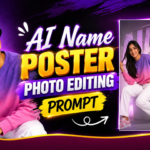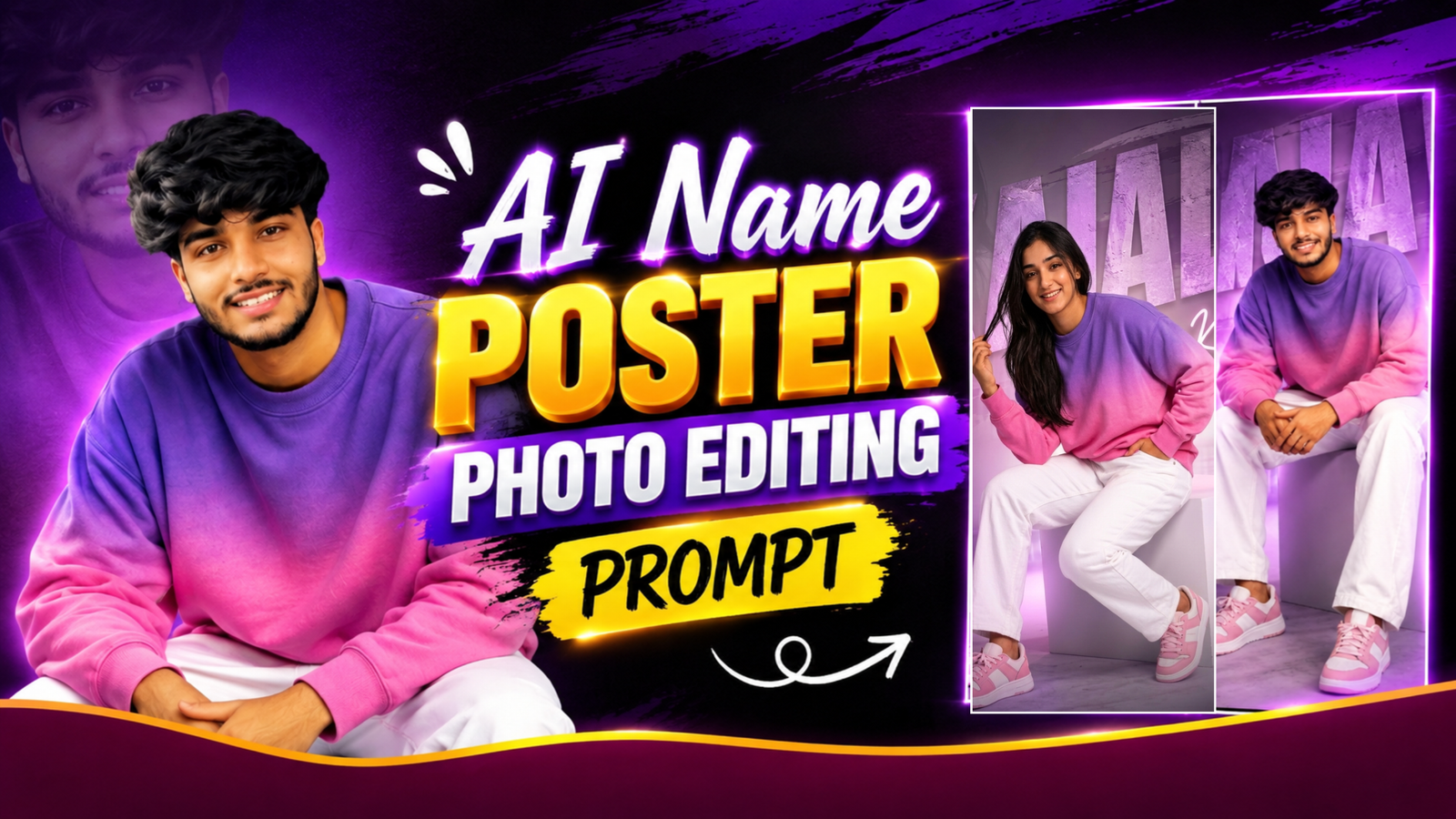
AI Name Poster Photo Editing Prompt: If you have seen those stylish photos where a person is sitting in a clean studio setup with their name written in large letters behind them, you may have wondered how such a photo is created. The design looks like a professional photoshoot, but the entire concept can be created with an AI image editing prompt. The purple and pink color combination, oversized name in the background, faded portrait, soft lighting and matching outfit all work together to create a modern poster-style photo. You can create a similar image using your own picture and customize the name, clothes, colors and overall look according to your choice.
A Stylish Name Poster From a Normal Photo
The main idea behind this photo editing style is to make your picture look like a personalized fashion poster. Instead of simply changing the background of your photo, the AI creates a complete scene around you. In the example style, the person is sitting casually on a white studio block while wearing a purple and pink sweatshirt, white pants and matching sneakers. Behind the person, large textured letters display the name, while another faded portrait appears in the background. A handwritten version of the name is also placed on one side, giving the image a custom-designed look. Small words such as Focused, Humble, Persistent and Unstoppable can be added as supporting elements.
What You Need Before Using the Prompt
You do not need a professional camera or an already edited photograph for this style. A clear photo of yourself is enough to get started. Try to use an image where your face is visible and the body is not heavily covered by another object. A full-body picture can give the AI more information if you want the same sitting-style composition, but even a normal portrait can be used as a reference. Once your photo is ready, upload it to an AI image editor and use the prompt below. Just replace YOUR NAME with the name you want to appear in the final design.
AI Name Poster Photo Editing Prompt
The prompt below is written specifically for this type of purple-pink name poster. It tells the AI how the subject should be placed, what kind of background to create, where the name should appear and how the lighting should look. You can copy it directly and change only the name or any styling detail you want.
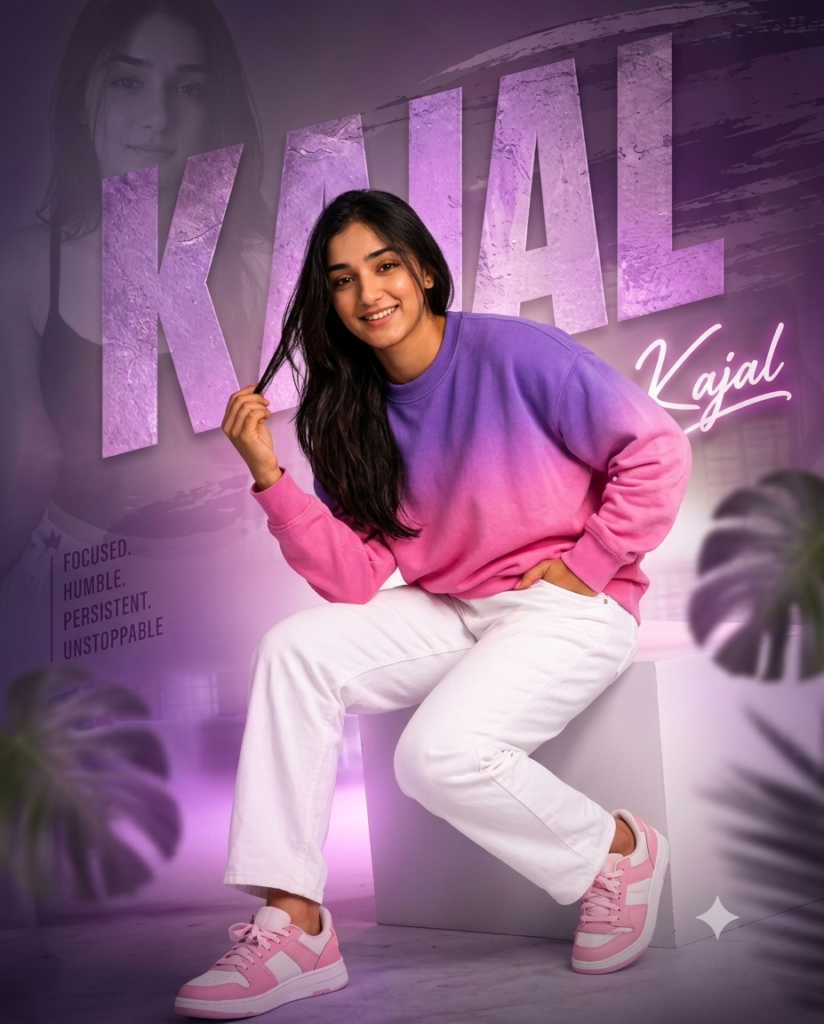
Prompt: An ultra-realistic 8K cinematic portrait using [User_Uploaded_Photo] as the exact face reference, preserving the facial identity, hairstyle, skin tone, and smile. Subject aur Posing: Model/Subject: Ek young mahila jo camera ki taraf dekh kar muskura rahi hain.
Pose: Woh ek white rectangular block/cube par baithi hui hain, ek haath se apne baalon ko touch kar rahi hain aur doosra haath pant ki pocket mein hai.
Outfit: Purple aur pink gradient (ombre shade) wala full-sleeve sweatshirt.
White color ki relaxed-fit denim pant/trousers.
Pink aur white combination wale sneakers.
2. Typography aur Text Elements
Large Background Text: Peeche bade bold 3D textured letters mein "YOUR NAME" likha hai, jisme rough/grunge texture aur purple-pink tint hai.
Script Text: Right side mein stylish white cursive/neon font mein dubara "YOUR NAME" likha hua hai.
Motivational Quote: Left side mein vertical line ke saath subtle font mein likha hai: FOCUSED. HUMBLE. PERSISTENT. UNSTOPPABLE.
FOCUSED.
HUMBLE.
PERSISTENT.
UNSTOPPABLE.
Background aur Composition
Dual Portrait Overlay: Background ke left side mein subject ka hi ek subtle, desaturated black-and-white portrait faint roop se blend kiya gaya hai.
Color Scheme: Primary color palette purple, magenta/pink, aur white tone par based hai, jo ek modern aesthetic aur neon vibe deta hai.
Foreground & Lighting Elements: Dono sides (foreground) mein tropical leaves (monstera/palm) ko soft blur effect ke saath use kiya gaya hai taaki image mein depth lage.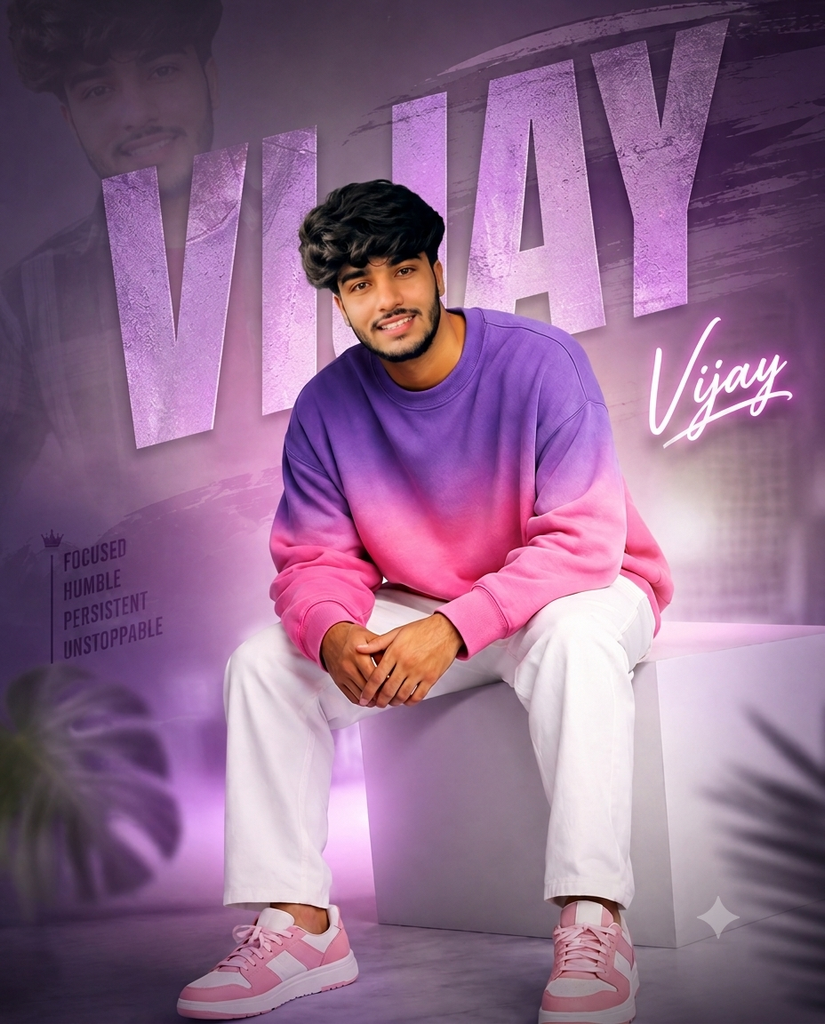
Prompt: An ultra-realistic 8K cinematic portrait using [User_Uploaded_Photo] as the exact face reference, preserving the facial identity, hairstyle, skin tone, and smile. Subject aur Posing
Model/Subject: Ek young handsome ladka jo camera ki taraf dekh kar confident smile de raha hai.
Pose: Woh ek white rectangular box/cube par baitha hua hai, dono pair wide rakhe hain aur dono haath aage lap (god) par aapas mein loosely folded/clapsed hain.
Outfit:Purple aur pink gradient (ombre shade) wala oversized/relaxed full-sleeve sweatshirt.
White color ki relaxed-fit denim pant/trousers.
Pink aur white combination wale trendy sneakers.
Typography aur Text Elements
Large Background Text: Peeche bade bold 3D textured letters mein "YOUR NAME" likha hai, jisme rough concrete/stone wall jaisa dark grunge texture diya gaya hai.
Script Text: Right side mein stylish white cursive neon-glow font mein dubara "YOUR NAME" likha hua hai.
Graphics & Quote: Right side mein neon text ke niche ek crown (taj) ka vector icon bana hai aur uske niche ye motivational words likhe hain:FOCUSED HUMBLE PERSISTENT UNSTOPPABLE
Background aur Composition
Dual Portrait Overlay: Background ke left side (letter 'R' ke aas-pass) subject ka hi ek faint, moody black-and-white portrait blend kiya gaya hai. Color Palette & Lighting: Pure poster mein lavender/light-purple aur soft pink ambient lighting ka use hua hai, jo ek modern aesthetic neon-portrait look deta hai.
Foreground & Depth Elements:Niche dono corners par dark palm leaves (khajoor ke patte) foreground framing ke liye use kiye gaye hain.
Floor par soft white mist/smoke effect aur light sparkle (star flare) add kiya gaya hai.
After uploading your photo, paste the complete prompt into the AI image editor and replace YOUR NAME with the exact name you want to display. You do not have to explain the entire design again because the prompt already describes the background, sitting pose, clothing, name placement, faded portrait and lighting. Once the image is generated, look at the face, hands and text first because these are the areas where AI-generated images can sometimes make small mistakes. If the overall design is good but one part needs improvement, give a short follow-up instruction instead of starting everything again, such as asking the AI to keep the face closer to the uploaded photo or make the name more readable.
Change the Look Without Changing the Idea
One useful thing about this prompt is that you can create several different versions while keeping the same basic concept. For example, you can change the purple-pink theme to blue and white, black and red or another combination. The sweatshirt can also be replaced with a jacket, hoodie or another outfit. You can ask for a standing pose instead of sitting, or change the studio block to a chair or another simple setup. The large name typography and faded portrait can remain the same, so the final image still belongs to the same name-poster style.
Make Your Name the Main Highlight
The large background name is what makes this design different from an ordinary AI portrait. Instead of placing the name as a small caption at the bottom, the letters become part of the actual background. You can use your first name, nickname, creator name or any short word you want to highlight. A handwritten version on the side adds another layer to the design and makes it look more like a custom poster. If you want to use the image as personal branding, you can also replace the small motivational words with something related to your page or creator identity.
Keep the Photo Natural
Even though the final image is highly edited, the person should still look natural. Avoid asking the AI to change too many personal features at once because that can make the result look different from the original photo. The best approach is to let the AI change the environment, clothes and design while keeping the face and overall appearance recognizable. Natural shadows, realistic clothing folds and soft lighting are also important because they help the person blend into the newly created studio environment instead of looking like they were simply cut out and placed on a background.
Where You Can Use This Photo
This type of personalized name poster can be used in many places where you want a stylish portrait. You can use it as an Instagram post, Facebook profile image, WhatsApp DP, creator poster or personal social media design. For a profile picture, it is better to keep your face and name clearly visible because the image will appear smaller. For a normal post, you can use the complete vertical composition and allow the large background name and faded portrait to remain visible. You can even create separate male and female versions with different outfits while keeping the same overall color theme.
Tips for Getting a Better Result
A clear reference image will usually give the AI more useful information than a dark or blurry photo. Before generating the image, decide whether you want the AI to keep your original clothes or create the purple-pink outfit shown in the concept. Also make sure the name is written correctly in the prompt because AI-generated text can sometimes come out differently. If the first result looks good except for one small issue, make a targeted change rather than rewriting the whole prompt. For example, you can ask for softer background lighting, a larger name, a more natural sitting pose or a closer match to the original face.
Final Result
The AI Name Poster Photo Editing Prompt gives a normal portrait a completely different presentation by combining fashion photography with personalized typography. The large name, soft purple and pink lighting, faded background portrait, stylish outfit and clean studio setup create the main look. You can start with the prompt above, replace the name and then make small changes based on your own photo. This makes it possible to create a personalized poster without manually designing every element from scratch.
AI Name Poster Photo Editing Prompt: FAQ
Q1.Can I use any photo for this name poster?
A clear photo with a visible face will usually work better. A full-body image can also help when creating the same sitting-style composition.
Q2.Can I use my own name in the background?
Yes. Replace YOUR NAME in the prompt with your preferred name, nickname or creator name.
Q3.Can I change the outfit?
Yes. You can replace the sweatshirt and trousers instructions with your preferred outfit while keeping the same poster design.
Q4.Can I change the purple-pink background?
Yes. You can ask for blue, red, black, cyan or another color combination.
Q5.Can I create both male and female versions?
Yes. The same concept can be adapted for different people by changing the outfit, hairstyle and pose while keeping the overall name-poster design.
Read also:- AI Name Photo Editing Prompt 2026: Create a Neon Profile Picture

मेरा नाम राहुल सहनी है और मैं पिछले 5 साल से कंटेंट क्रिएटर हूँ। इस ब्लॉग में, मैं सरकारी जॉब, सरकारी योजना, प्राइवेट जॉब, के बारे में जानकारी देता हूँ।