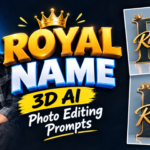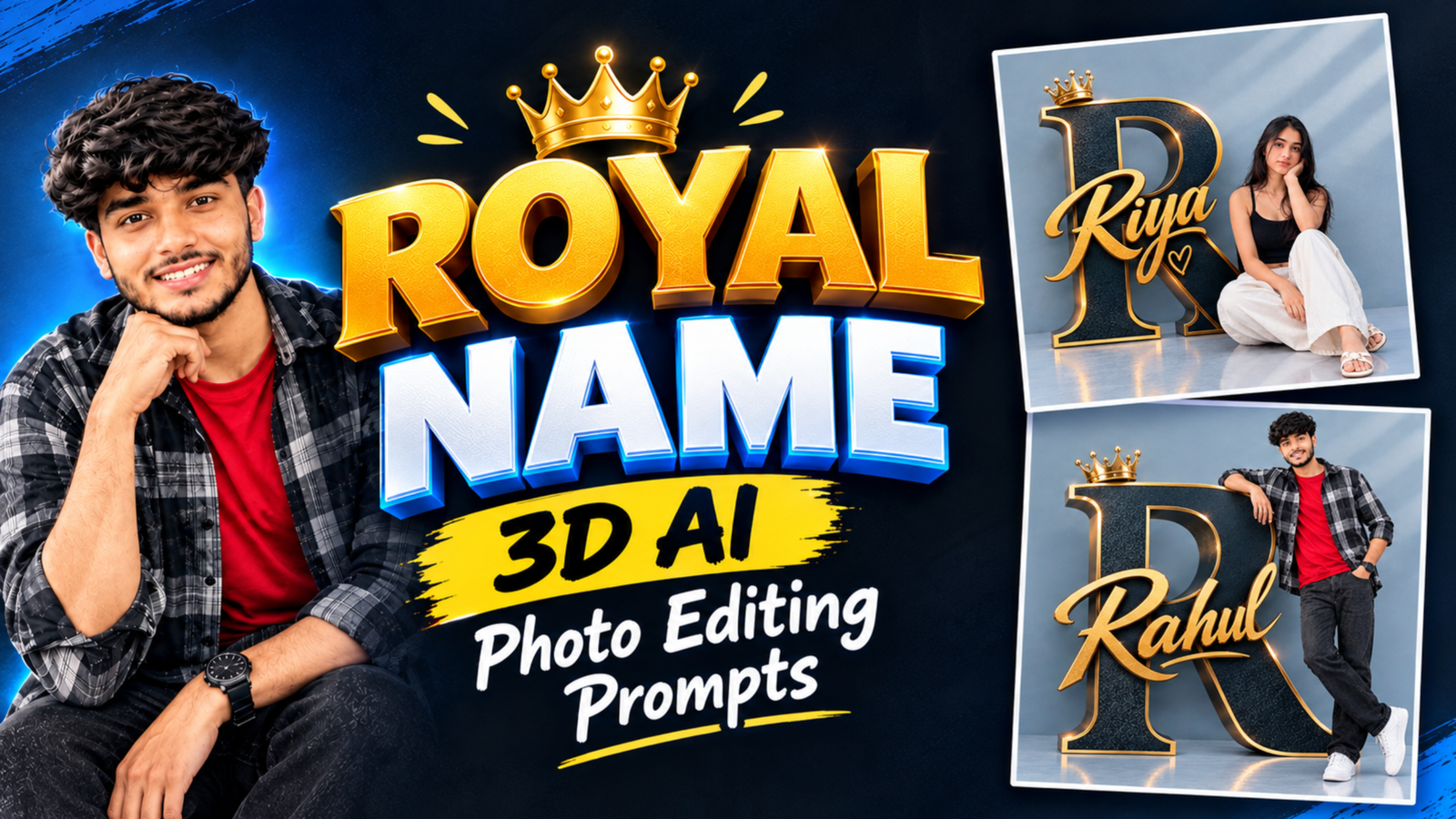
Royal Name 3D AI Photo Editing Prompts: Have you ever wanted to create a photo with your name written in a royal golden style? The Royal Name 3D AI Photo Editing trend is a creative way to turn a normal picture into a stylish portrait with a giant 3D letter, golden name text and a premium background. In this design, your photo is placed beside a large alphabet with a beautiful golden crown on top. The name appears in an elegant golden font, making the image look like a professional poster. If you also want to create a similar photo using your own picture, you can upload your photo to an AI image editor and use a detailed prompt to get a personalized result.
What Is Royal Name 3D AI Photo Editing?
The Royal Name 3D AI Photo Editing trend is a photo editing style in which a person’s picture is combined with a large 3D alphabet, a golden crown and stylish name lettering. The main design includes a dark navy-blue letter with a golden border, giving it a rich and elegant appearance. The person’s photo is placed beside the letter in a natural standing or sitting pose, while the name is displayed in a golden cursive font across the design. This style is suitable for creating personalized portraits, social media pictures, birthday posters and stylish profile photos.
How Does the Royal Name Portrait Look?
The main attraction of this design is the combination of golden lettering and a large 3D alphabet. A huge dark blue letter is placed in the background with a shiny golden outline, and a small golden crown sits on top of it. The person’s portrait is positioned beside the letter, creating a natural and balanced composition. The name is written across the alphabet in a beautiful golden script font, while the light blue background keeps the overall design clean. You can use your own name and choose a different alphabet to create a personalized royal portrait.
Best Royal Name 3D AI Photo Editing Prompt
If you want to create a similar photo using your own picture, upload a clear photo to an AI image editor and use the prompt below. Replace YOUR NAME with your actual name and YOUR LETTER with the first letter of your name. The prompt focuses on the royal design, golden text, large 3D alphabet and natural portrait placement.
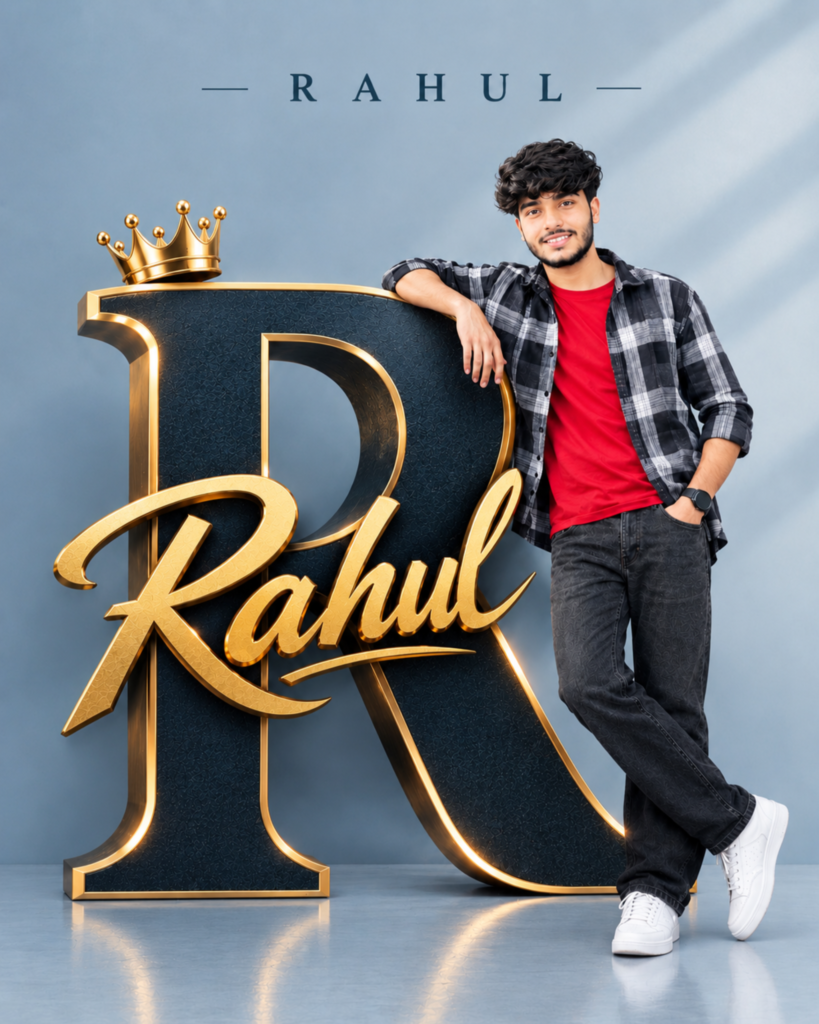
PROMPT: An ultra-realistic 8K cinematic portrait using [User_Uploaded_Photo] as the exact face reference, preserving the facial identity, hairstyle, skin tone, and smile.
An ultra-realistic 8K cinematic portrait using [User_Uploaded_Photo] as the exact face reference, preserving the facial identity, hairstyle, skin tone, and smile.
Subject & Pose
Person: A young man with wavy black hair, light beard, and a pleasant smile facing the camera.
Pose: Leaning sideways with his right arm resting on top of a giant 3D letter sculpture (FIRST LETTER OF NAME), left hand in his pocket, and legs crossed casually at the ankle.
Outfit: Open black and white checkered plaid shirt over a plain red round-neck t-shirt.
Charcoal black / dark grey relaxed jeans.
White sneakers.
Black watch on his wrist.
3D Elements & Typography
Giant 3D Alphabet Sculpture: Shape: The FIRST LETTER OF NAME (e.g., life-sized standing 3D letter).
Texture & Color: Matte dark textured surface with thick metallic golden beveled edges.
Illumination: Soft golden backlight glow outlining the letter edges.
Crown: A shiny golden royal crown placed on top of the FIRST LETTER OF NAME.
Front 3D Script: The user's full NAME written across the center in elegant 3D golden cursive script.
Top Wall Text: The NAME printed neatly at the top center of the wall with spaced-out letters: — N A M E —.
Background & Lighting
Background: Smooth, minimalist greyish-blue studio wall with soft diagonal window shadow patterns.
Floor: Matching smooth studio floor with subtle reflections of the shoes and the base of the FIRST LETTER OF NAME.
Lighting: Professional studio lighting with clean highlights and soft shadows.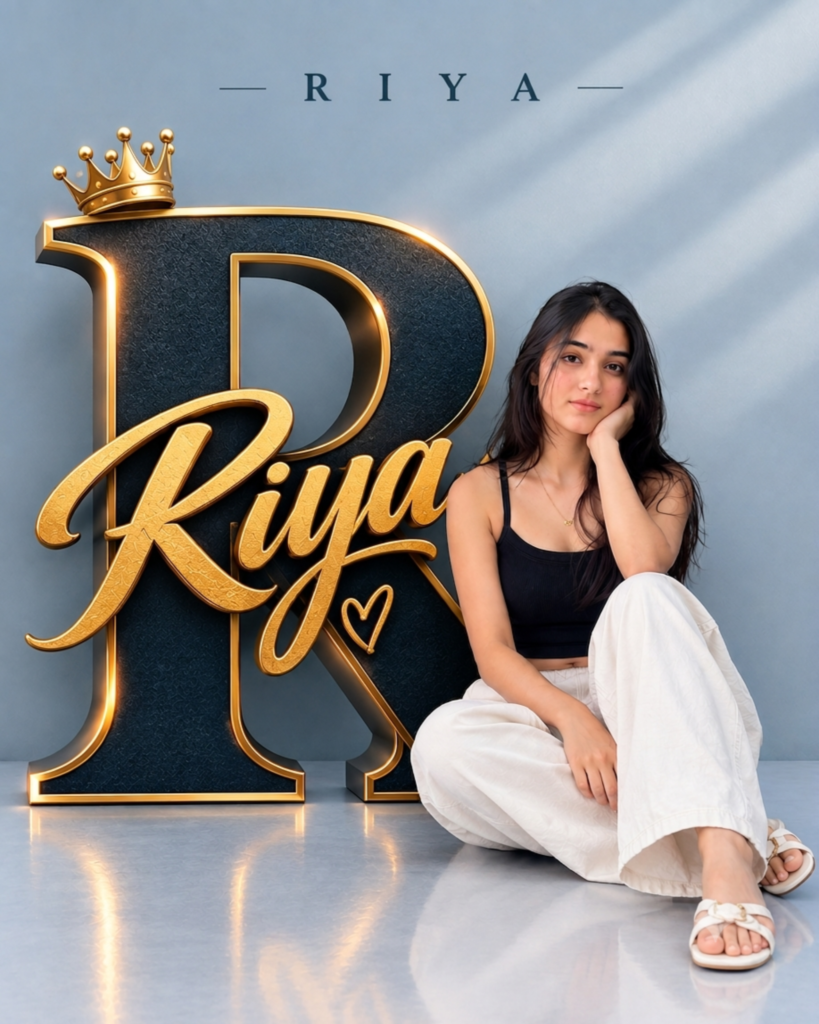
An ultra-realistic 8K cinematic portrait using [User_Uploaded_Photo] as the exact face reference, preserving the facial identity, hairstyle, skin tone, and smile.
Subject & Pose
Person: A young woman with long, natural dark hair parted in the middle and a gentle smile looking directly at the camera.
Pose: She is seated on the floor next to a giant 3D letter sculpture (FIRST LETTER OF NAME), resting her left elbow on her knee with her hand gently supporting her cheek, while her right arm rests across her lap.
Attire: Top: A simple black sleeveless crop top / camisole. Bottom: High-waisted, relaxed-fit white wide-leg trousers / baggy pants. Footwear: White slip-on flat sandals with a buckle strap. Accessories: A delicate, minimalist gold chain necklace with a small pendant.
dant.
Typography & 3D Elements
Giant 3D Alphabet Sculpture: Shape: A large, life-sized standing 3D sculpture of the FIRST LETTER OF NAME. Finish: Matte dark textured face with thick, brushed metallic gold borders and beveled edges. Lighting: Warm golden edge lighting glowing softly from behind the rims of the letter.
er.
Crown: A glossy golden regal crown perched atop the top serif of the FIRST LETTER OF NAME.
3D Script & Symbol: The NAME written horizontally across the letter in metallic golden 3D cursive script, accompanied by a small golden outlined heart symbol just beneath it.
Top Header: Clean, spaced-out uppercase text centered on the upper wall: — N A M E —. Background & Lighting
Background: A smooth, minimalist slate-blue / muted grey studio backdrop.
Floor: A matching polished studio floor displaying faint reflections of the subject and the base of the FIRST LETTER OF NAME.
Lighting: Soft, directional studio illumination creating subtle diagonal window-blind shadows across the background wall and soft highlights on the subject.
How to Create a Royal Name Portrait With AI
Creating a royal name portrait is simple, even if you have never used an AI photo editing tool before. First, open ChatGPT or another AI image editor that supports photo uploads and select a clear picture of yourself. Upload your photo, copy the prompt from this article and replace YOUR NAME and YOUR LETTER with your own details. After submitting the prompt, the AI will generate a new portrait based on your instructions. Once the image is ready, check whether your face looks natural, the name is spelled correctly and the golden letter design looks clear. If something needs improvement, you can ask the AI to correct that particular detail.
Choose the Right Name and Letter
The name and alphabet are the most important parts of this design because they give the portrait a personal touch. You can use the first letter of your name, your nickname or any alphabet you prefer. For example, if your name starts with R, you can use a large 3D letter R and display your complete name in golden lettering. Make sure the alphabet is large enough to stand out and the name is clearly visible across the design. A matching letter and name combination helps create a more personalized and balanced portrait.
How to Keep Your Face and Pose Natural
When creating a personalized portrait, preserving your original face is important. The prompt tells the AI to maintain your facial features, skin tone and hairstyle while changing the background and overall design. A clear reference photo can help the AI understand your appearance. You should also describe the pose carefully so that your body looks natural beside the large letter. If the generated image changes your face or creates an awkward pose, ask the AI to improve the facial resemblance and body positioning while keeping the same royal design.
Customize the Colors and Outfit
The navy-blue and golden color combination gives this portrait a royal appearance, but you can try other colors to match your personal style. For example, you can choose a black-and-gold theme, silver lettering, purple background or white-and-gold design. You can also change your outfit according to your preference. A casual shirt, jacket, hoodie or traditional outfit can give the portrait a different look. Keep the background simple and make sure the main letter and name remain clearly visible.
Tips for Better Royal Name Photo Editing
For a better result, start with a clear photo where your face and body are visible. Describe the letter, crown, golden name text, background and pose in simple but specific words. Make sure the prompt clearly mentions that the name should be spelled correctly and displayed in a readable font. AI tools can sometimes make mistakes with text, so check the final image carefully. If the portrait looks good but the name or letter needs correction, ask the AI to fix only that part instead of generating a completely different design.
Royal Name Portrait for Instagram and WhatsApp
A personalized Royal Name 3D Portrait can be used as an Instagram post, WhatsApp DP, Facebook profile picture or birthday poster. The large alphabet and golden name make the image stand out from a regular portrait. If you want to use it as a profile picture, keep your face and name clearly visible because the image may appear smaller on social media. For a full-size post, you can use the complete vertical design with the golden crown, 3D letter and personalized name.
Final Words
The Royal Name 3D AI Photo Editing Prompt is a creative way to turn a normal photo into a personalized royal portrait. The combination of a giant 3D alphabet, golden crown, elegant name lettering and a clean background gives the image a stylish appearance. You can upload your own photo, choose your favorite letter and customize the colors, outfit and pose according to your preference. With a clear reference photo and a detailed prompt, you can create a unique royal name portrait for your social media profiles.
Royal Name 3D AI Photo Editing Prompts: FAQ
Q1.Can I use my own photo for Royal Name 3D editing?
Yes, you can upload your own photo and use it as a reference to create a personalized royal portrait.
Q2.Can I change the name and letter in the prompt?
Yes, replace YOUR NAME and YOUR LETTER with your own name and preferred alphabet.
Q3.Can I change the golden color?
Yes, you can ask the AI to use silver, black, purple, white or another color combination.
Q4.Can I create this portrait for both men and women?
Yes, this design can be customized for both men and women by changing the outfit, hairstyle and pose.
Q5.Which AI tool can I use for this photo editing style?
You can use ChatGPT or another AI image editor that supports photo uploads and AI image editing.
Read also:- 3D Letter Portrait AI Photo Editing Prompts

मेरा नाम राहुल सहनी है और मैं पिछले 5 साल से कंटेंट क्रिएटर हूँ। इस ब्लॉग में, मैं सरकारी जॉब, सरकारी योजना, प्राइवेट जॉब, के बारे में जानकारी देता हूँ।